
What Is B-Roll? Definition, Examples & How to Shoot It
B-roll is the supplemental footage that turns flat talking-head videos into stories viewers actually finish. See examples, types, and how to shoot it.
What Is B-Roll? The Footage That Decides Whether Viewers Finish Your Video or Scroll Past
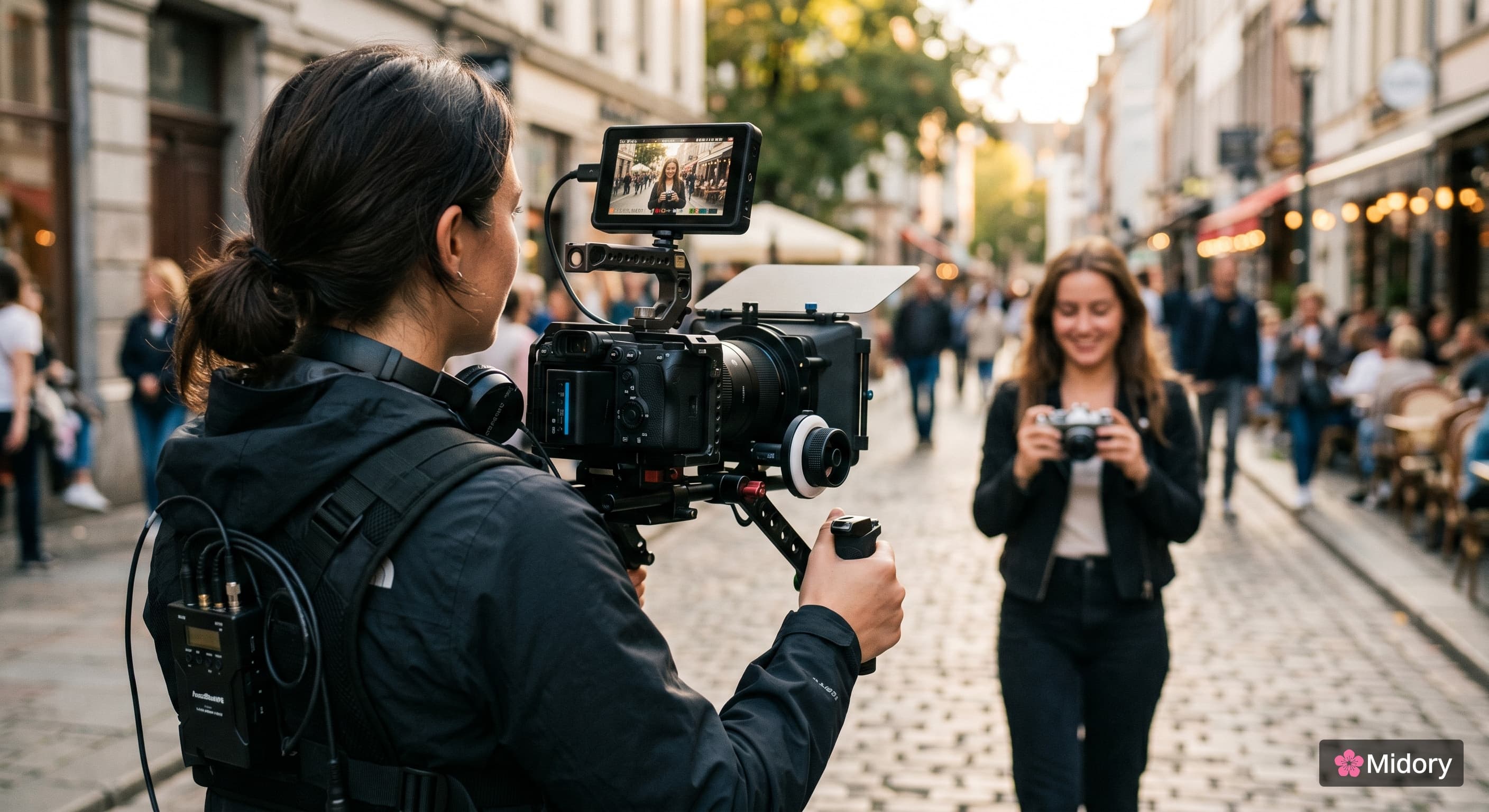
Watch any video you couldn't stop watching. The chef who walked you through her grandmother's recipe. The YouTuber who made forty minutes feel like ten. The documentary that made you cry about a topic you'd never thought about.
Pause it. Notice how often the camera leaves the speaker's face.
That cutaway, the close-up of the simmering pan, the wide shot of the empty classroom, the hands turning a page, is doing the heavy lifting. It's called b-roll. And it's the single biggest reason some videos feel cinematic while others feel like a Zoom recording.
This guide answers what b-roll is, where the term came from, the seven types you'll actually use, and how to plan and shoot footage that earns its place in your edit. By the end, you'll know exactly what to capture next time you press record.
What Is B-Roll? (The Short Definition)
B-roll is supplemental footage that supports your main shot. It's everything the camera shows when it isn't on the speaker, the action, or the primary subject of your video.
If your video has a person talking to camera, that's your A-roll. The cutaway to the product they're holding, the city street outside the window, the close-up of their hands gesturing? Those clips are your b-roll. It plays underneath the audio of the A-roll, gives the eyes somewhere new to go, and makes the whole piece feel intentional.
Three things to remember:
- B-roll is secondary, not less important. The story falls apart without it.
- It's usually shown without its own sound. The A-roll audio keeps running underneath.
- You can film it yourself, pull it from stock libraries, or generate it with AI tools.
You'll see the term written as "b roll," "B-roll," "broll," or "b-reel." All the same thing.
B-Roll vs. A-Roll: The Real Difference
People mix these up constantly. Here's the clean version:
| A-Roll | B-Roll | |
|---|---|---|
| What it is | Your main footage | Supplemental footage |
| Carries the story? | Yes | No, it supports |
| Includes audio? | Yes (dialogue, narration) | Usually muted under A-roll |
| Examples | Talking head, interview, scripted dialogue | Cutaways, close-ups, establishing shots |
| Can stand alone? | Yes | No |
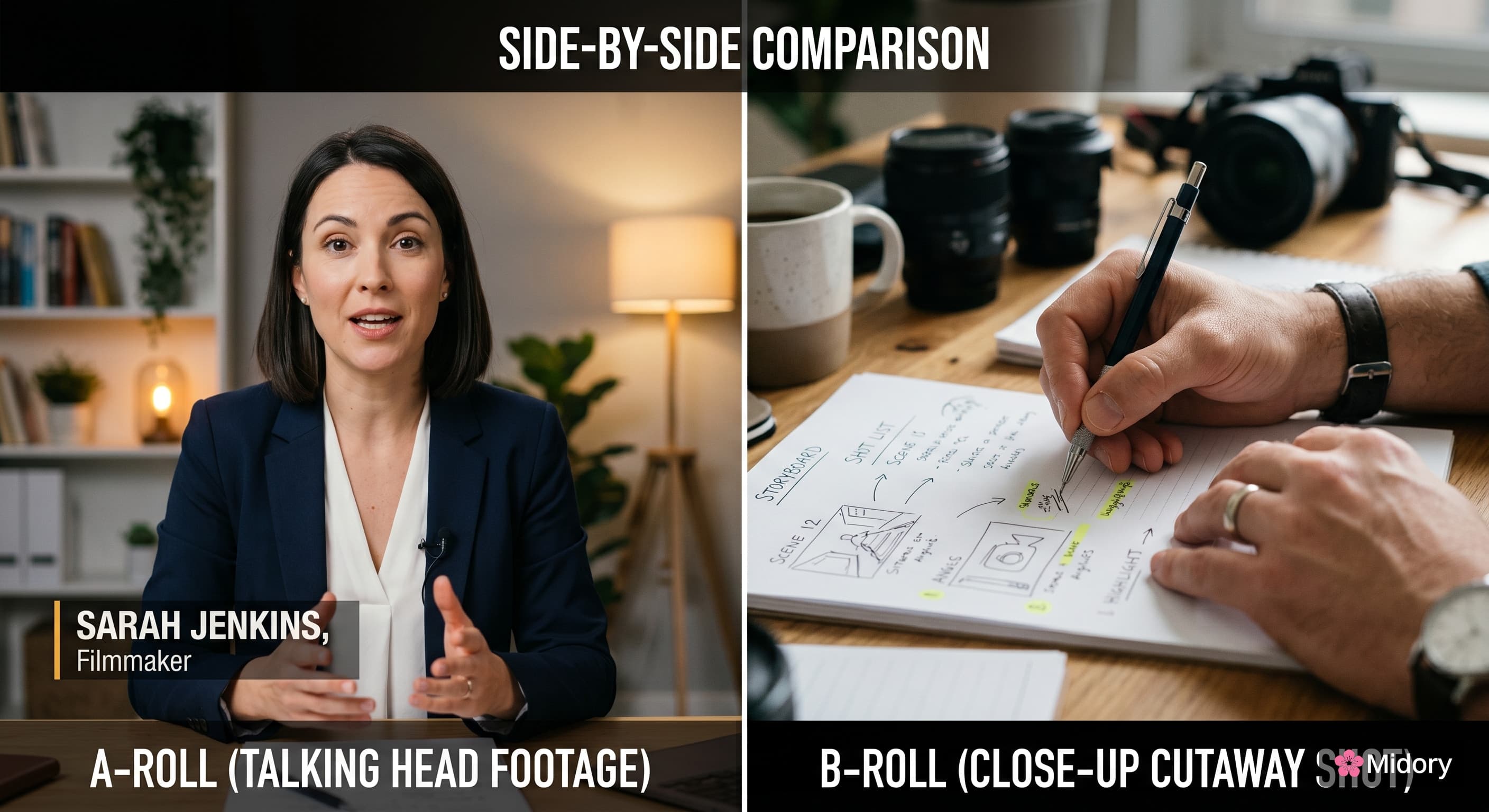
Test it like this: if you removed every clip of one type from your video, which version would still tell a story?
If you remove the b-roll, the story still makes sense. The video just gets boring fast.
If you remove the A-roll, you're left with pretty pictures and no idea what's happening.
That's the whole distinction.
Why Is It Called B-Roll? A Quick Origin Story
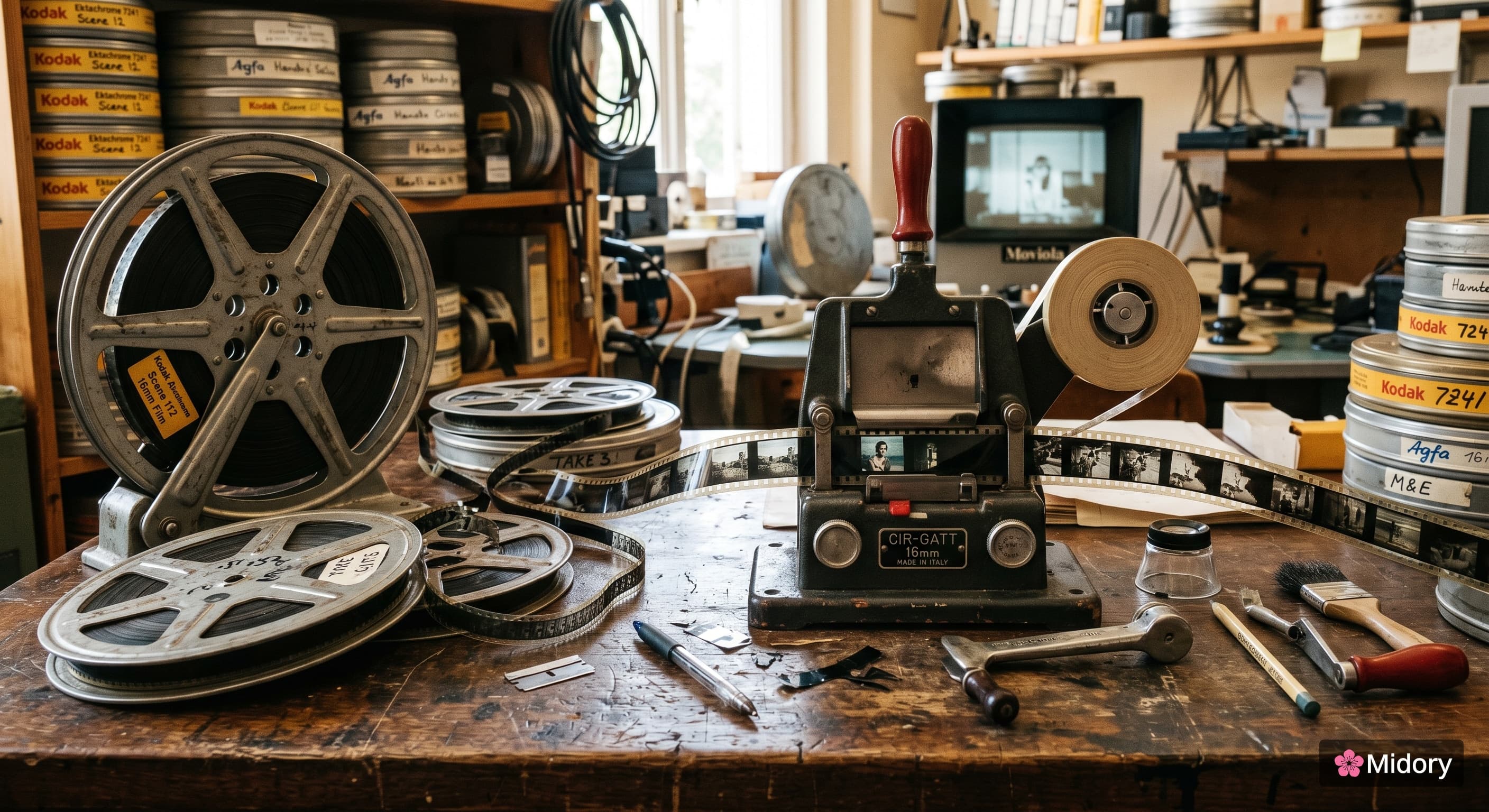
The term goes back to 16mm film editing in early Hollywood and TV news.
Back then, sound was recorded onto the actual filmstrip. So when an editor wanted to insert a cutaway shot during an interview, they couldn't just splice it in without breaking the audio. The fix was to load two reels into two projectors at the same time. The "A-roll" carried the main interview with sound. The "B-roll" carried the cutaway shot with black leader filling the gaps. Editors ran both rolls together and switched between them on the fly. Both Wikipedia and the Adobe creator team trace the term back to this checkerboard process used through the 1970s.
Digital editing made the trick obsolete decades ago. The name stuck anyway.
You'll occasionally hear b-roll called "supplemental footage," "supporting footage," "cutaway footage," or "safety footage." Synonyms, all of them.
Why B-Roll Matters More Than You Think
Most beginner creators treat it like a nice-to-have. That's a mistake. Here's what good supplemental footage actually does for your video:
1. It holds attention. The average YouTube viewer drops off within the first 30 seconds of a static talking-head video. Add visual variety every few seconds and watch time goes up. Eyes need somewhere new to look.
2. It hides cuts. Every interview has umms, false starts, throat-clears, and tangents. B-roll lets you cut all of that out cleanly. Drop a cutaway over the splice and the viewer never notices the join.
3. It shows instead of telling. "We started in a tiny office" is a sentence. A shot of a cramped room with two desks and a coffee-stained keyboard is the feeling. B-roll converts abstract claims into evidence the viewer experiences.
4. It controls pacing. Fast cuts between four-second clips create energy. Slow, lingering shots create reflection. You're conducting the viewer's emotional state with footage choices.
5. It signals production value. A video with thoughtful supporting footage reads as professional. A video without it reads as amateur, even if the camera, audio, and script are otherwise identical.
The economics are stark. Adding b-roll is the cheapest, fastest way to make a video look ten times better.
7 Types of B-Roll (With When to Use Each)
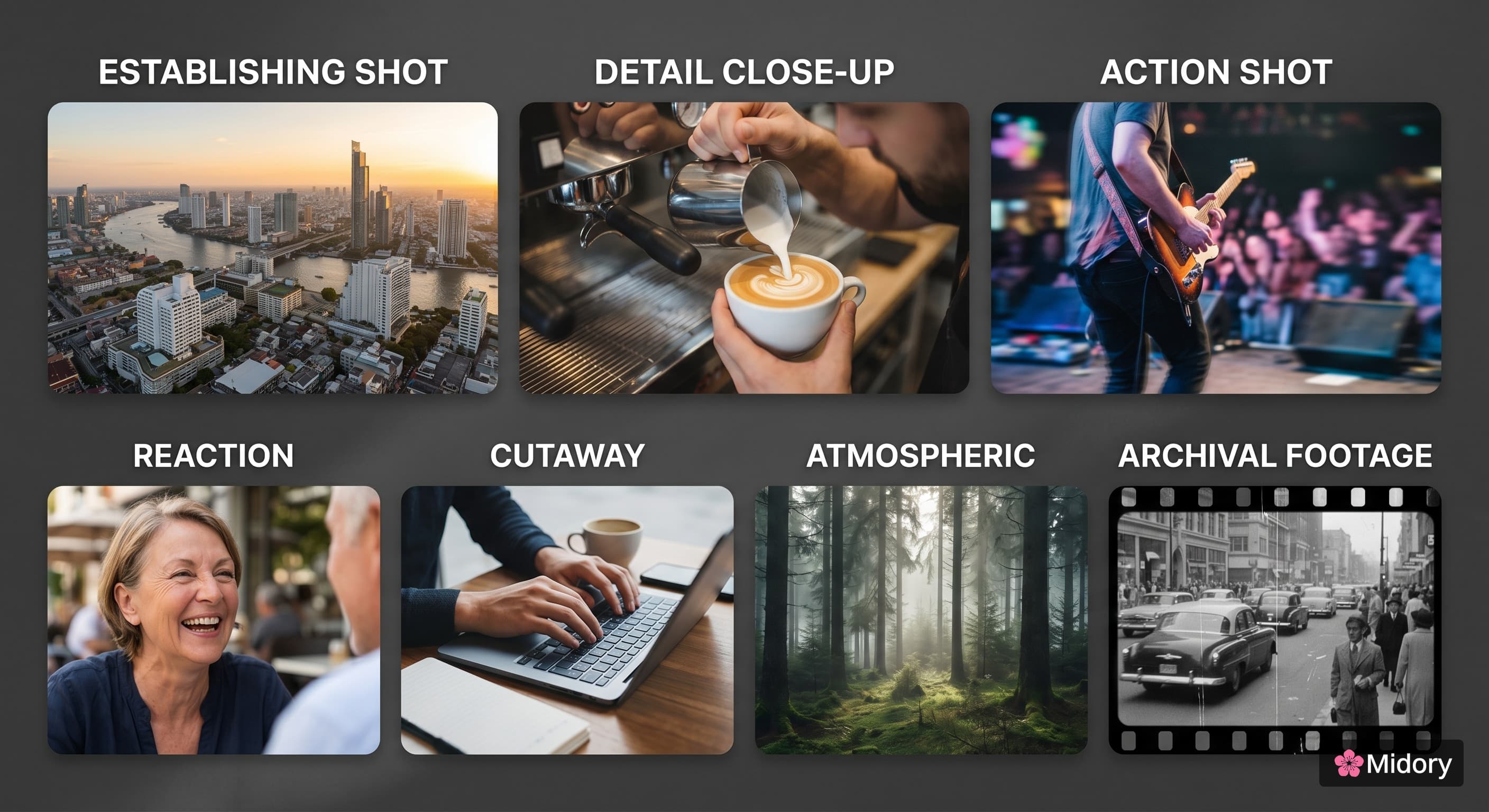
You don't need to memorize formal categories. But knowing what's available makes shot lists faster to write.
1. Establishing shots
What it is: A wide shot that anchors the viewer in a location. Aerial of a city, exterior of a building, landscape that frames the scene.
Use when: You're starting the video, changing locations, or introducing a new section.
Example: Every episode of *Seinfeld* opens with a New York street shot before cutting inside the apartment.
2. Detail / insert shots
What it is: A tight close-up on an object, texture, or hand action. The watch on the wrist. The condensation on the glass. The fingers tying the knot.
Use when: You want to draw attention to something specific or slow the pace down for emphasis.
Example: The opening of *Se7en*. Close-ups of the killer's hands sorting clippings. Tells you who he is before you see his face.
3. Action / process shots
What it is: Footage of someone actually doing the thing your A-roll is describing.
Use when: Your A-roll is explaining a sequence of steps. Tutorials, recipes, how-tos.
Example: A skincare video where the host says "next, apply the serum," and the b-roll shows three drops landing on the cheekbone.
4. Reaction shots
What it is: Footage of someone responding to what's happening. A nod, a wince, a laugh, a gasp.
Use when: You want to add emotional context or build social proof. Testimonials, podcast clips, panel interviews.
Example: Late-night talk shows cut to audience reactions during punchlines. That laugh you see is reaction b-roll selling the joke.
5. Cutaways
What it is: A brief departure from the main scene to show something related but visually different. Often used purely for pacing.
Use when: You need to hide a cut in the A-roll, give the viewer a breather, or break up a long stretch of talking.
Example: A business podcast that flashes to a graph or a logo while the guest keeps talking.
6. Atmospheric shots
What it is: Mood-setting footage with no specific subject. Rain on a window. Steam rising. Wind in tall grass. A neon sign at night.
Use when: You want to convey a feeling that words can't.
Example: *Lord of the Rings* travel montages. The shots aren't advancing plot, they're building scale and longing.
7. Archival or stock footage
What it is: Footage you didn't shoot. Pulled from a stock library (Pexels, Pond5, Adobe Stock, Storyblocks), a public archive (Library of Congress, Prelinger), or generated by AI tools like Runway, Sora, or built-in features inside platforms like Captions and Riverside.
Use when: You need a shot you can't realistically capture yourself. Aerial of a city you're not in. Historical event. Galaxy. Surgery.
Example: A YouTube essay about WWII filling its A-roll narration with public-domain newsreels.
What B-Roll Looks Like in the Wild
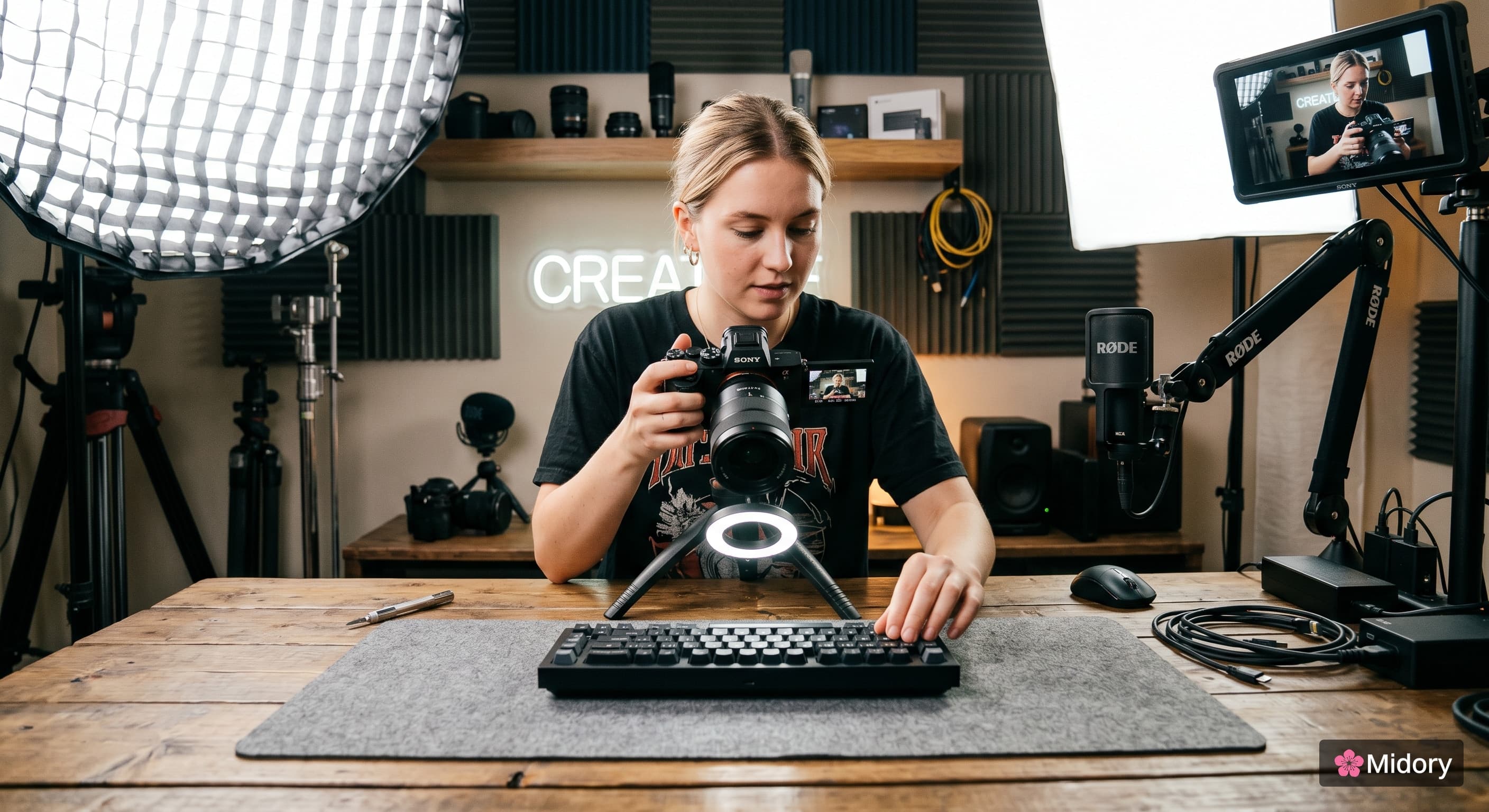
Pull up four different formats and you'll see the same principle apply differently.
On YouTube: A creator like MKBHD reviewing a phone. A-roll is him talking. The supporting shots are every macro of the camera lens, every hand-feel comparison, every screen-record. The cuts come every two to four seconds.
In TV news: A reporter standing in front of a courthouse is the A-roll. The supplemental footage is the courtroom interior, the defendant arriving, the relevant documents on a desk. Often the reporter records the on-camera piece in twenty seconds and the cutaways fill two minutes.
In documentaries: A subject sits and talks for three minutes about her childhood in São Paulo. The supporting footage is photographs from that period, footage of the neighborhood today, super-8 home video, slow pans across handwritten letters.
In feature films: The wheat-field shots in *Gladiator* with Russell Crowe's hand brushing the grain. Russell isn't there. That's a stunt double, captured by a second-unit crew, used as cutaway footage to bookend the film.
The lesson: every format you've ever loved relies on b-roll. The only question is whether your video does too.
How to Shoot Better B-Roll: A 5-Step Process
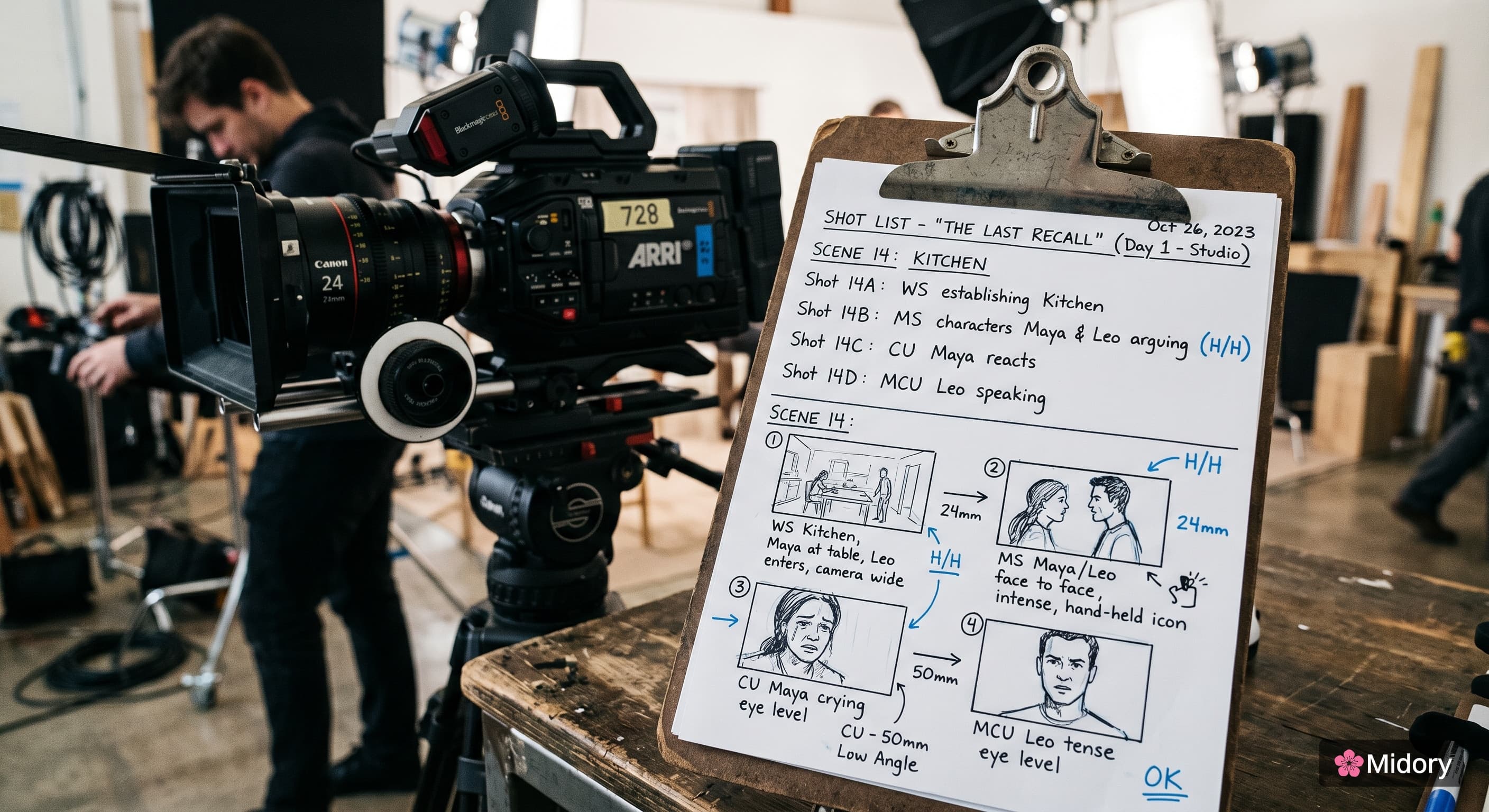
This is the section most "what is b-roll" articles skip. Here's how to actually capture footage worth using.
Step 1: Plan it before you shoot
Read your script. Mark every place a visual would land harder than the words. Make a shot list with the specific b-roll you need.
A useful prompt: "If a viewer muted this section, would they still get the point?" If yes, your b-roll is doing its job.
Step 2: Shoot three angles of every shot
For any subject, capture a wide, a medium, and a close-up. You'll thank yourself in the edit when one angle doesn't cut cleanly into the A-roll. Three options always beats one perfect intention.
Step 3: Add motion
Static b-roll feels like a screensaver. Use a slow pan, a slight push-in, a handheld walk, or a gimbal glide. Even a few inches of movement makes the shot feel alive. NoFilmSchool's b-roll guides and most cinematography channels harp on this for a reason.
Step 4: Light it like A-roll
The fastest way to make b-roll look amateur is to shoot it with whatever light is around. Spend the extra two minutes. Move the lamp. Wait for the cloud. Use the window. Match the look of your main footage.
Step 5: Capture more than you need
The shoot is not the time to be efficient. Shoot 4x what you think you'll use. Editors who've never sat in an edit bay underestimate how often a "perfect" clip turns out to have a focus drift, a boom mic in frame, or audio you can't strip cleanly. Coverage saves the edit.
Where to Get B-Roll When You Can't Shoot It
Three options, in rough order of cost and authenticity.
1. Stock footage libraries. Pexels and Pixabay are free. Storyblocks, Pond5, Artgrid, and Adobe Stock are paid and broader. Quality varies. Pick clips that don't look like clips. (If you've seen the same drone-of-a-skyline shot in five different videos, your audience has too.)
2. Archival and public-domain sources. Library of Congress, Prelinger Archives, Wikimedia Commons, Internet Archive. Brilliant for historical or specialized topics. Always check the license before using.
3. AI-generated b-roll. Midory AI B-roll lets you generate supporting footage from your script or prompt, so you can fill visual gaps without leaving the edit. It is useful when you need quick cutaways, concept visuals, or shots that would be expensive to film yourself. Use it to support the story, not replace the judgment behind the edit.
Common B-Roll Mistakes (And How to Fix Them)
Even creators who know what b-roll is mess these up.
Mistake 1: Footage that contradicts the audio. The narration says "our team moves fast" while the cutaway shows someone yawning at a desk. The viewer's brain registers the mismatch as dishonesty. Every shot should reinforce, never contradict, the message.
Mistake 2: Holding shots too long. A static clip running eight seconds is almost as boring as no b-roll. Aim for 2 to 5 seconds per clip, faster for energetic topics, slower for reflective ones.
Mistake 3: Repeating the same clip. Viewers notice. It signals you didn't have enough coverage. If you must reuse a shot, change the framing in the edit (zoom in slightly, flip horizontally) so it reads as a fresh angle.
Mistake 4: Random cool footage. A slow-mo coffee pour is gorgeous. If your topic is server architecture, it's also wrong. The test isn't "is this shot cool," it's "does this shot make the point land harder?"
Mistake 5: No b-roll at all. The most common mistake. A creator publishes a six-minute talking-head video with zero cuts. Retention craters at the 30-second mark. The fix: even one or two well-placed cutaways will lift completion rates measurably.
A Practical B-Roll Ratio
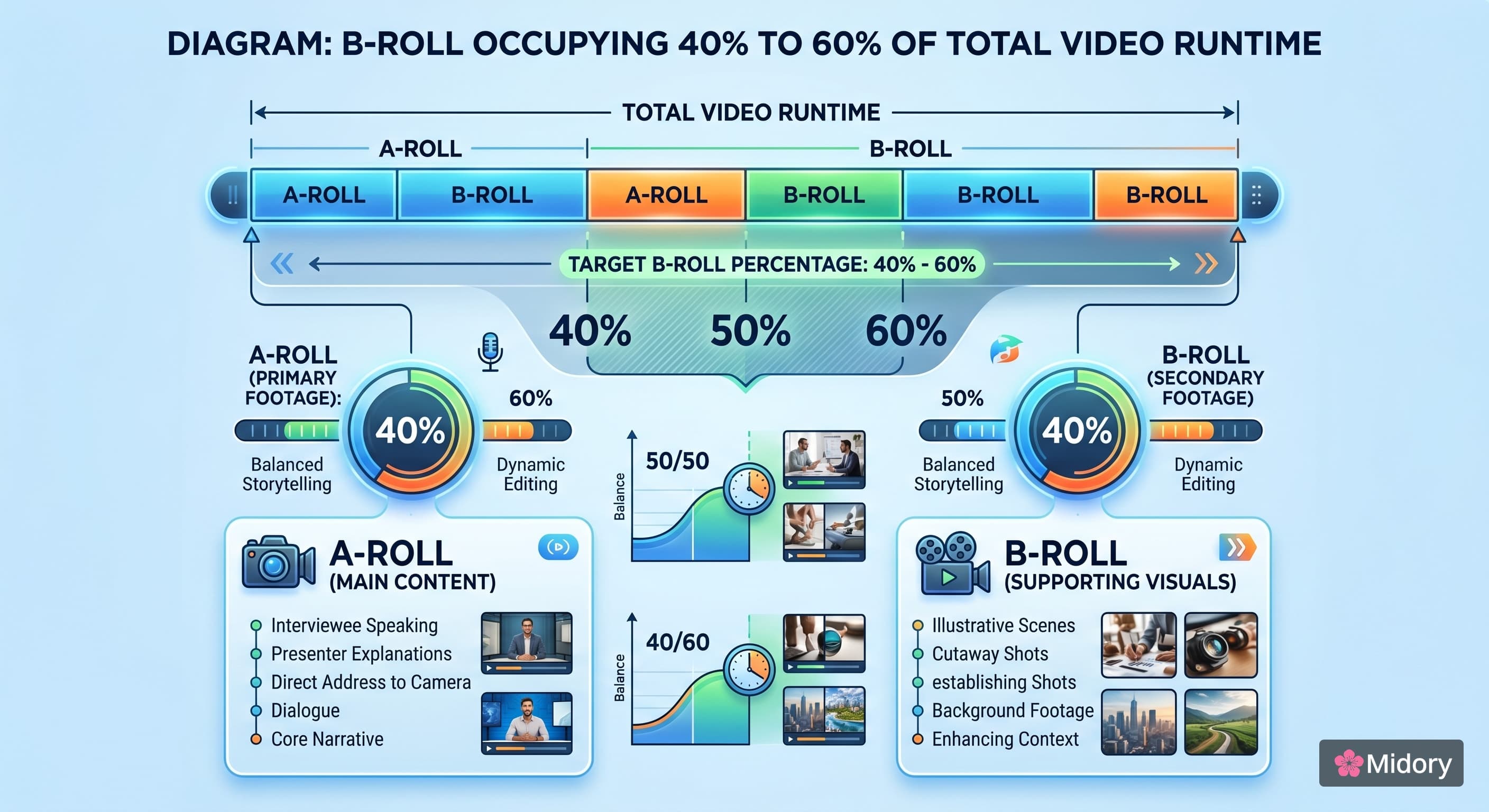
If you want a starting rule: in a typical talking-head explainer, plan for b-roll to cover 40 to 60 percent of total runtime. So a six-minute video needs roughly 2.5 to 3.5 minutes of b-roll, which (at 3-second clips) means around 50 to 70 individual b-roll shots in your edit.
Sounds like a lot. It is.
That's why pros build their shoot day around b-roll, not as an afterthought.
Frequently Asked Questions About B-Roll
Is b-roll the same as cutaway footage? Cutaways are a type of b-roll. All cutaways are b-roll, but not all b-roll is a cutaway. Establishing shots, atmospheric shots, and process shots are also b-roll.
Should b-roll have sound? Usually not. B-roll is meant to play under the A-roll audio. You can occasionally use natural sound from the b-roll (the sizzle of the pan, ambient street noise) layered low, but the A-roll audio almost always takes priority.
Can a video be all b-roll? Technically yes. Music videos, travel reels, and montage-style shorts often run on b-roll plus a music bed with no A-roll at all. In those cases, the music or graphics carry the structural role A-roll usually plays.
Does b-roll need to be professionally shot? No. iPhone footage is enough for most YouTube and social videos in 2026, especially when the lighting is good and the framing is intentional. The bigger differentiator is whether you have the *right* shots, not whether they were shot on a Sony FX3.
How long should each b-roll clip be? Two to five seconds is the standard range. Cut shorter for energetic, fast-paced edits. Hold longer for emotional or reflective beats. Almost never longer than 8 seconds without a strong reason.
Where can I find free b-roll footage? Pexels, Pixabay, Mixkit, and Coverr have solid free libraries. Government archives like the Library of Congress and Prelinger Archives offer free historical footage. Always confirm the license terms before publishing.
Wrapping Up
B-roll isn't extra. It's the layer that turns a talking head into a video, a video into a story, and a story into something a stranger watches all the way through.
Next time you plan a shoot, write your shot list with the b-roll first and the talking parts second. You'll feel the change in the edit. So will your audience.
Now go shoot something. The boring videos won't replace themselves.